
Step 01 · 2 minutes
Keywords
Your profile can rank on Google and in LinkedIn search. Leverage keywords throughout your profile to rank for the topics you want to be known for.
Action step — list 5–10 keywords. Brain-dump your industry, role, or solution keywords (e.g., “B2B SaaS,” “enterprise sales,” “demand generation”). These will appear in your Headline, About, and Experience sections.
- When in doubt, keep it clear and use the language your customers actually speak.
- Keywords can be more than one word if that's how people naturally search (e.g., “personal branding”).
- Long sales cycle? Aim for a ~50/50 mix of long-term positioning keywords and short-term “what people need right now” keywords.
- Multiple offers? Focus on the one thing you're selling right now, then layer in the rest.
Insert your keywords here Saved
List your 5–10 keywords — the words you want to be found and remembered for.
Step 03 · Quick win
Public settings
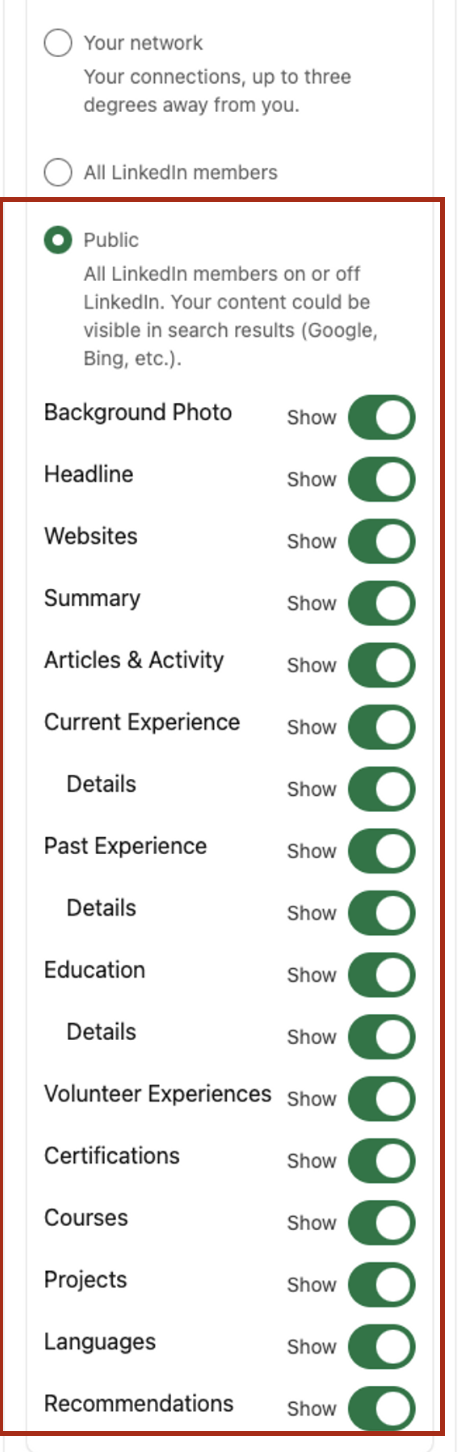
Turn your profile into a public profile so people can find you more easily. Open Public profile & URL from the top-right of your profile.
Action steps
- Adjust public profile settings
- Turn on all public sections — set everything to visible (especially your profile picture; a hidden photo makes connection requests feel fake or untrustworthy)
- Turn your profile into a public profile
- Adjust your custom URL to include your name and remove the trailing numbers
Custom URL tip: Claim your full name if you can (use a hyphen or underscore if it's taken). Old links still redirect to the new URL, so you won't break anything. Exception: if you're in a field where data security or discretion matters, adjust visibility accordingly.
Step 04
Profile picture
Your profile picture should hit the following criteria:
- High-quality image
- Simple, plain background (or an on-brand background color if several people represent your brand and you want instant recognition in the feed)
- Friendly, on-brand expression (formal or casual, depending on your style)
- A clean close-up — when in doubt, go plain and simple




Action step
- Update your profile picture
Step 05
LinkedIn banner
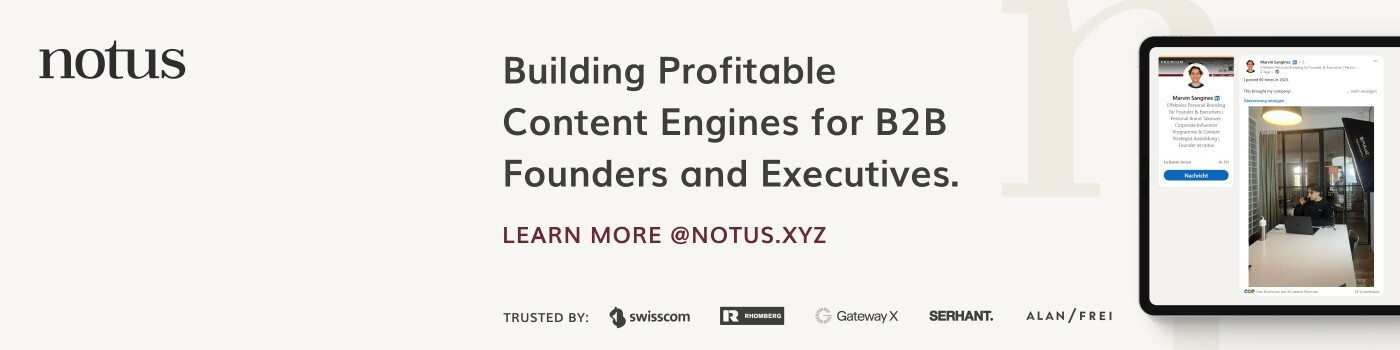
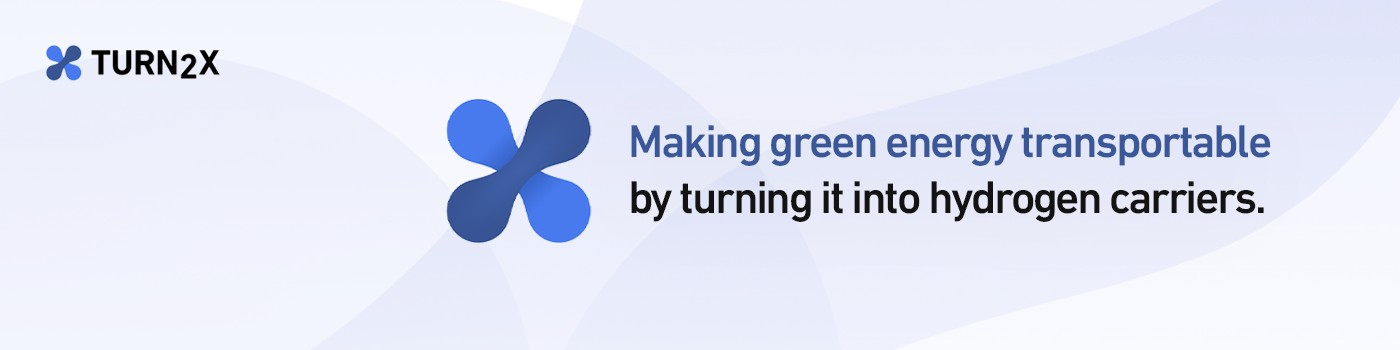
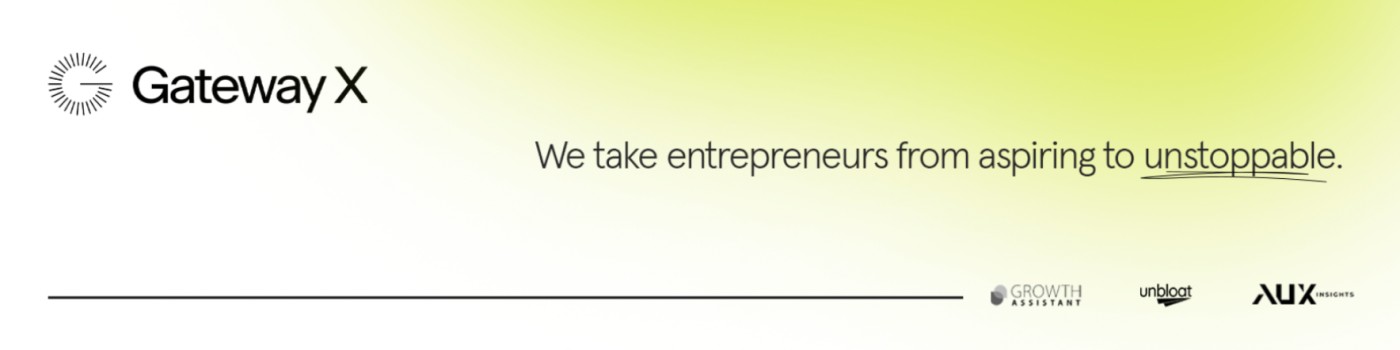
Your banner is a large visual area that lets you instantly convey your brand, value proposition, and social proof.

Banner checklist
- Set banner size to 1200 × 627 px
- Add company value proposition
- Include company logo
- Add client logos for social proof
- Use visuals and colors that align with your corporate identity
- Optional: add a CTA, such as “Subscribe to our newsletter”
How to create a banner with Canva Magic Media
- In Canva → Apps → Magic Media, choose the “LinkedIn Banner” size (~1200 × 627 px).
- Enter keywords: e.g., “B2B, modern, tech vibe, corporate identity.”
- Generate the background: Magic Media provides background ideas and images.
- Add text manually: insert a short tagline, potential social proof (client logos), or a CTA on top of the background.
Resource: Canva templates for LinkedIn banners
Insert your banner here Saved
Upload the banner you'll use (stored only in this browser), then paste it into LinkedIn.
Step 06
Contact info
Make sure potential partners, customers, or employers can connect with you easily by updating your contact info.
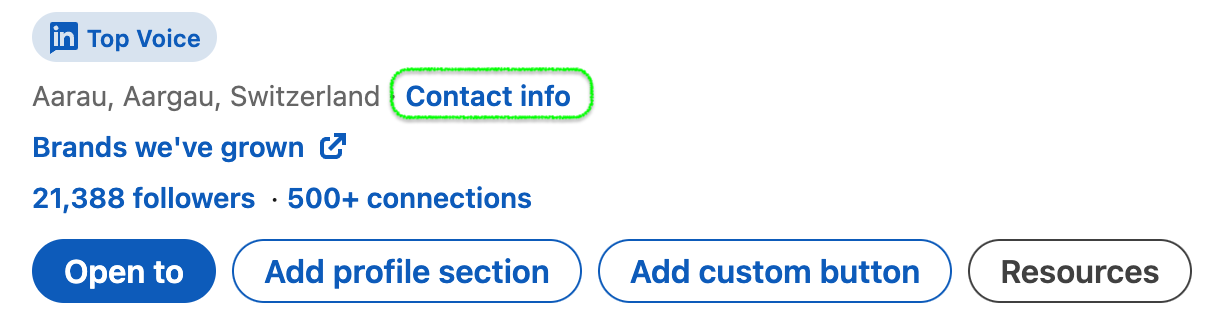
Fill in Saved
Your website and email as you'll add them to LinkedIn.
Step 07 · Premium only
CTA button
The CTA link is the first opportunity to drive people to the next step in your funnel.
Note: this feature is only accessible with a Premium membership.
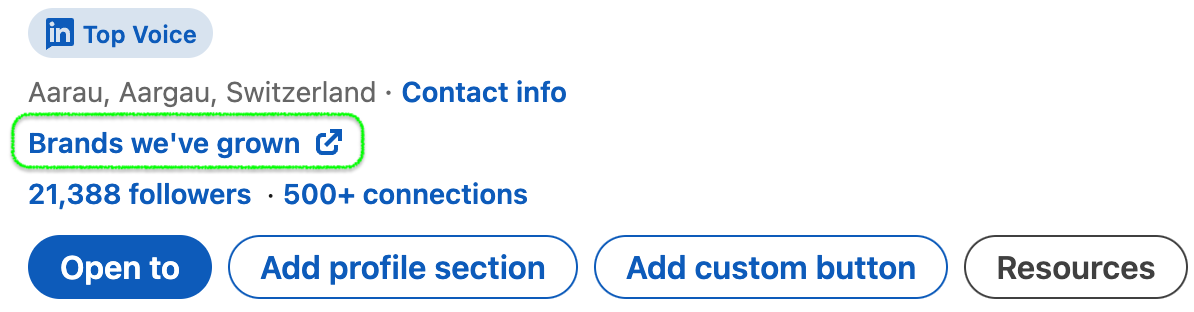
Draft your CTA Saved
The link and 3 options for how it reads as a sentence.
Step 08
Profile headline & slogan
Your headline is one of the first things people see — and it shows in the feed whenever you post or interact. It's prime real estate for hooking your ICP.
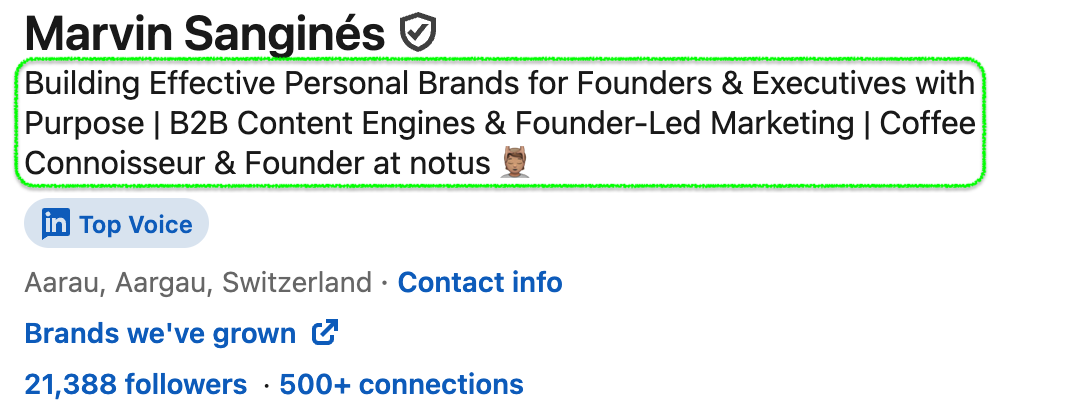
These simple frameworks can help craft your slogan:
- (Purpose Statement) | (Role) at (Company)
- (Problem + Solution) | (Role) at (Company)
- (Slogan) | (Keywords) | Vibe Statement | (Role) at (Company)
Here's a prompt that might help you
You are an expert LinkedIn headline & slogan writer who's going to help me craft the perfect headline/slogan that I can directly use on my LinkedIn profile to generate B2B sales. First I'm going to share some best practices and headline examples, then at the end of this prompt I'll share the specific information about my business and ICP.

You know that LinkedIn headlines / profile slogans are one of the first things people see on my profile, AND it's shown in the feed whenever I post or interact. It's prime real estate for hooking my ICP with clear & concise messaging.

You are a fan of the following frameworks to craft headlines and usually always write an option for each:
1. (Purpose Statement) | (Role) at (Company)
2. (Problem + Solution) | (Role) at (Company)
3. (Slogan) | (Keywords) | Vibe-Statement | (Role) at (Company)

Here are examples of LinkedIn headlines. Please draw inspiration from them in terms of language, structure, and tone of voice, but be aware that I have nothing to do with them. I'll share my company specifics afterwards.

Headline Examples:
• Building Effective Personal Brands for Founders & Executives with Purpose | B2B Content Engines & Founder-Led Marketing | Coffee Connoisseur
• CEO @ [Company] | Don't Sell. Offer Buying Process As A Service | End Indecision & Ghosting; From Email-File-Chaos → Digital Sales Room
• CEO @ [Company] | Person-Level Website Visitor Identity | Push LinkedIn Profiles to Slack in Real-Time, 100% Free!
• Helping technical Founders Start & Scale Founder-Led Marketing on LinkedIn | CEO of [Company]

So those were the examples. Now onto my specific business case, for which I want to update my profile headline/slogan. Write 3 LinkedIn headlines specific to me & my business, following the above principles and tone of voice, but ensuring it's suited for my case:
• Clearly speak to [my ICP or target audience]
• Highlight [the main benefit I deliver]
• Incorporate [my keyword(s)]
• Use any of the following phrases if they fit:
  – [Example phrase A]
  – [Example phrase B]
  – [Example phrase C]
List your slogan ideas here Saved
Draft a few headline options, then pick the sharpest.
Step 09
Featured section
The Featured section is your portfolio space. It lets you showcase social proof, pin your favorite content, and drive profile visitors to the next step in your funnel — your website, newsletter, or demo page.
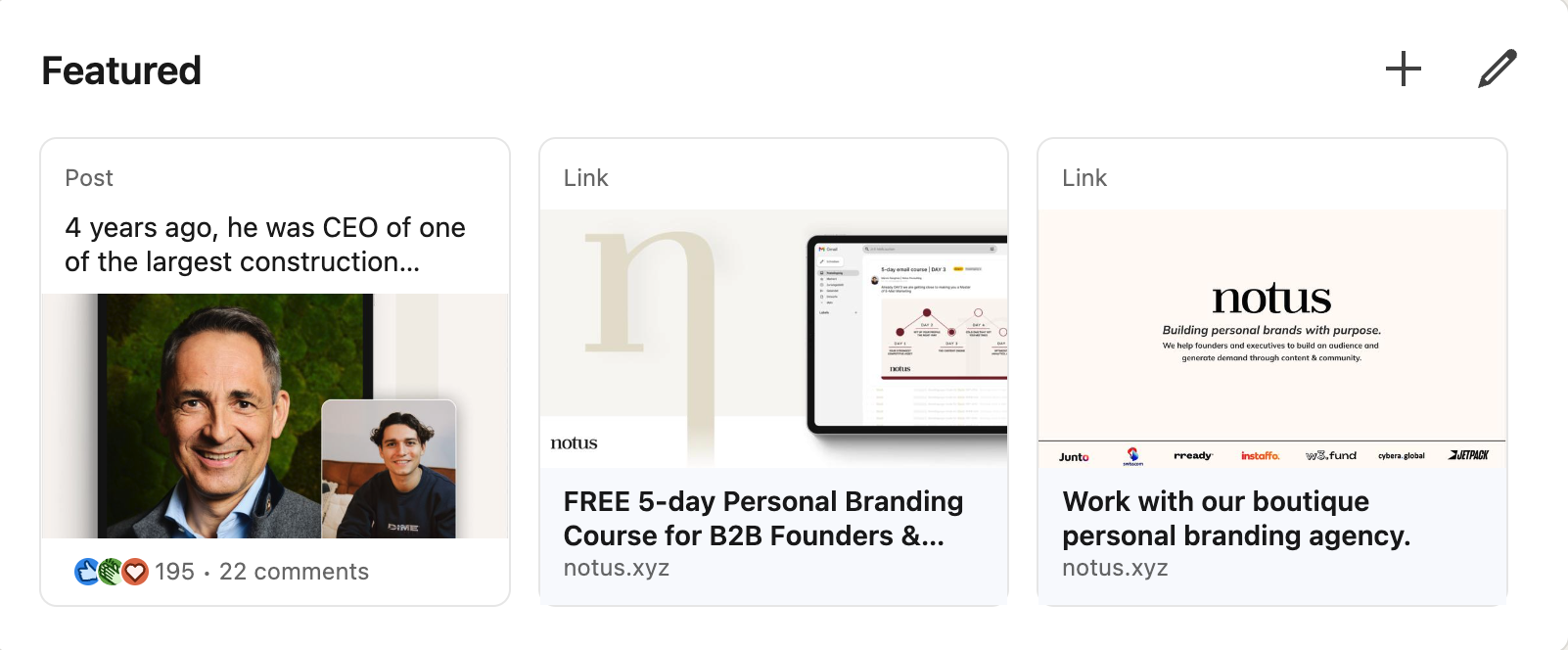
We recommend 4 assets for the Featured section:
- Content piece — link to content that gives people an idea of who you are and what you do (e.g., your “Hello LinkedIn” post).
- Case study — pin case studies that showcase successful client projects.
- Website link — direct people to the next step in your funnel, such as a demo booking page.
- Lead magnet — a free value asset people can download in exchange for their email address.
Never clutter the Featured section. There's nothing worse for conversions than a lead confused by too many options. Add one of each asset max — nothing else.
List the Featured section items here Saved
One content piece, one case study, one website link, one lead magnet.
Step 10
About section
Your About section should give an engaging overview of your background, status quo, and vision for the future. Concise and engaging is the name of the game.
Structure it in four parts:
- Backstory
- How did you get to where you are today?
- Status quo — what do you do today?
- What does your company do?
- How do you help your target audience?
- Vision — what is your vision for the future?
- What bigger goal are you trying to achieve?
- CTA — how can people get in touch with you?
- Shoot a DM? Visit your website?
- “PS, outside of work I like to do X”
Here's a prompt that might help you
You are an expert LinkedIn About Section writer who's going to help me craft the perfect About section that I can directly use on my LinkedIn profile to generate B2B sales. First, I'll share best practices, then some examples, and finally my specific business and ICP details.

You know that a LinkedIn About section:
• Hooks readers in the first 2–3 lines
• Provides a concise personal backstory
• Showcases how I help my ICP today (status quo)
• Ends with a clear vision or CTA that encourages them to reach out

I'm a fan of the following 3-part structure:
• Backstory — How did I get here?
• Status Quo — What do I do today, and how do I help my target audience?
• Vision — Where am I heading? What's the bigger goal?

Here are some brief examples or lines from other LinkedIn About sections (draw inspiration from tone and format, but these are not directly about me):

Example 1 — problem-led opener:
"Did you know that the construction industry is responsible for almost 40% of climate change AND global landfill waste? As a construction company, managing your workforce and costs is tedious at best... [pain points as ❌ bullets] ... But it doesn't have to be this way. During my 15+ years in the industry... I became obsessed with solving each problem... [solution as ✔️ bullets] ... To learn more, visit our website."

Example 2 — story-led opener:
"Turn your story into your competitive advantage. I decided to take a gap year to follow my entrepreneurial dream... Just a few months in, because I'd been posting content and doing free consultations, I co-founded my company... THIS was when I realized how powerful personal branding is. Since then we've worked with 110+ founders & executives... Want to talk personal branding? Just drop me a message. Outside of work, you'll find me..."

Example 3 — founder/investor opener:
"Hi! I'm [Name], a founder and investor who loves helping people grow through entrepreneurship. Everything I know comes from bootstrapping my first business to a mid 8-figure exit... It set the foundation for what I do today: build ambitious bootstrapped companies at my venture studio Gateway X... When I'm not working, I love to travel, play tennis... So if you're interested in bootstrapping, growth marketing, ecom, or leadership, follow me."

Now, based on my specific business case (which I'll provide), write 1 polished LinkedIn About section that:
• Hooks [my ICP or target audience] in the first 2 lines
• Weaves in my [personal story] or 'why'
• Mentions at least one key result or metric
• Ends with a friendly CTA
• Incorporates these keywords if possible: [my keywords]
• Optionally uses these example phrases if relevant:
  – [Example phrase A]
  – [Example phrase B]
  – [Example phrase C]

[Insert your personal details, ICP, and main result here.]
Write your About section here Saved
Backstory → status quo → vision → CTA.
Step 11
Experience section
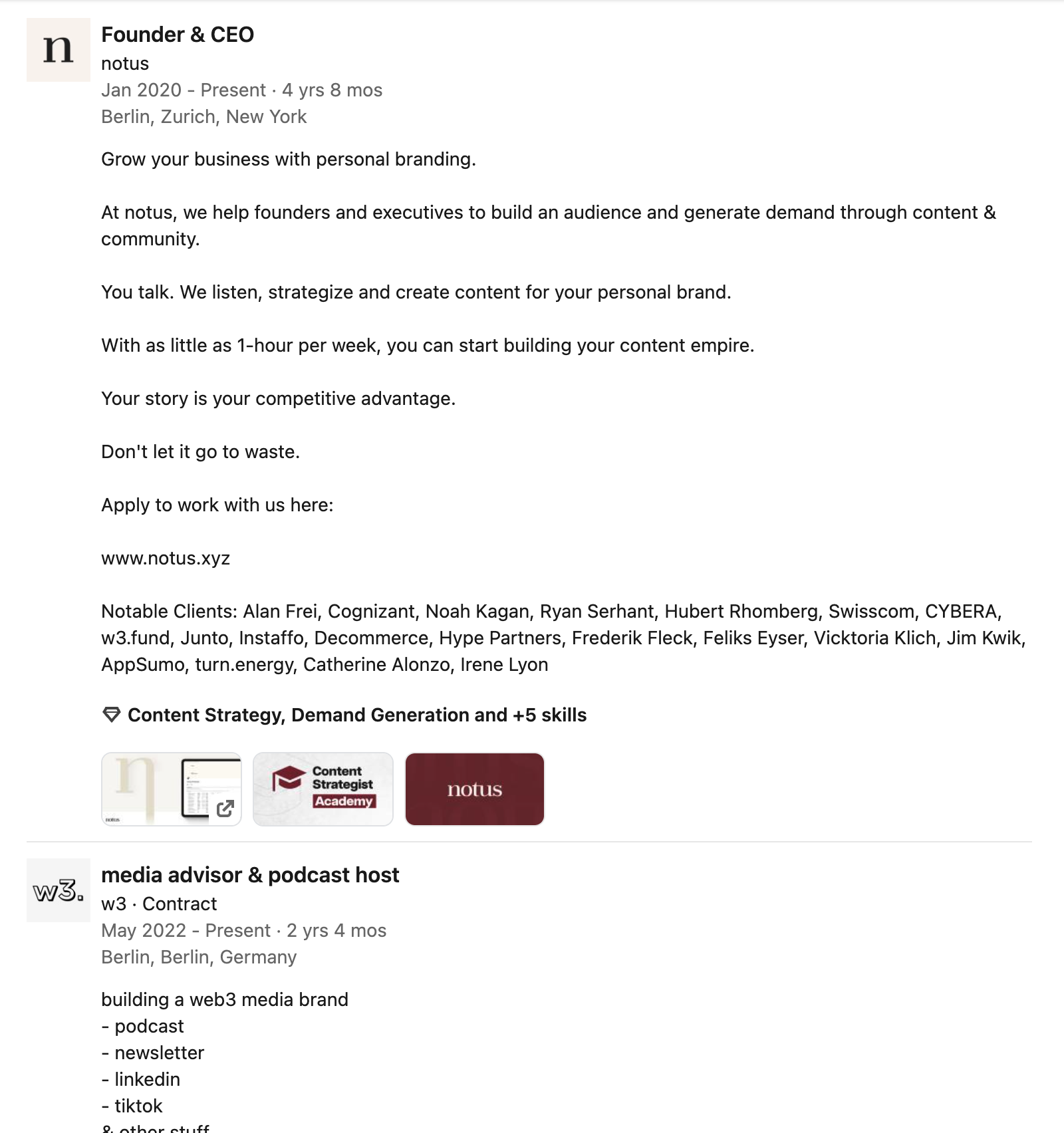
This section establishes your credibility and showcases your career progression. Include all relevant education and work experience, and for each one highlight your responsibilities and key achievements.
Keep in mind:
- List roles: include 1–3 bullet points of achievements per role.
- Quantify: e.g., “Increased ARR by 150%,” “Managed a $2M budget.”
- Use multimedia: attach screenshots, product demos, or relevant docs.
Here's a prompt that might help you
You are an expert LinkedIn Experience Section writer who will help me craft concise, impactful experience entries to generate B2B sales. First, I'll share best practices for LinkedIn Experience, then some examples, and finally my specific career background.

You know that a great Experience entry:
• Focuses on achievements (especially quantifiable data)
• Mentions skills or methods relevant to my ICP
• Speaks directly to how these past roles make me effective today
• Includes a clear CTA to drive potential clients into the next step of my funnel (e.g., visiting my demo page or checking out a case study)

Best Practices:
• 1–3 bullet points per role, each highlighting a clear result (e.g., "Increased annual revenue by 40%")
• In the current job I'm trying to generate sales for, hook the reader with 1–2 lines about what we do / how we help, then use bullet points to talk about method/offer
• Incorporate relevant keywords so it's SEO-friendly on LinkedIn

Here are a few example lines from other Experience sections (for tone/format, not direct copy):
1. Increased ARR from $1M to $5M in 2 years through B2B partnerships
2. Led a team of 8 SDRs, focusing on enterprise SaaS pipeline growth
3. Developed new processes that cut churn by 20%

Now, using the background details I'll provide, write 2–3 brief bullet points for each of my key roles that:
• Spotlight major wins or metrics
• Tie into my current B2B solutions
• Use these keywords if relevant: [my keywords]
• Optionally include these example phrases if they make sense:
  1) [Example phrase A]
  2) [Example phrase B]
  3) [Example phrase C]

[Insert your role history, key achievements, or any specifics you want highlighted here.]
List your work experience here Saved
One entry per role, achievements first.
Step 12
Knowledge & skills
Your skills appear below your work experience. They increase your visibility for certain keywords and communicate your unique strengths.
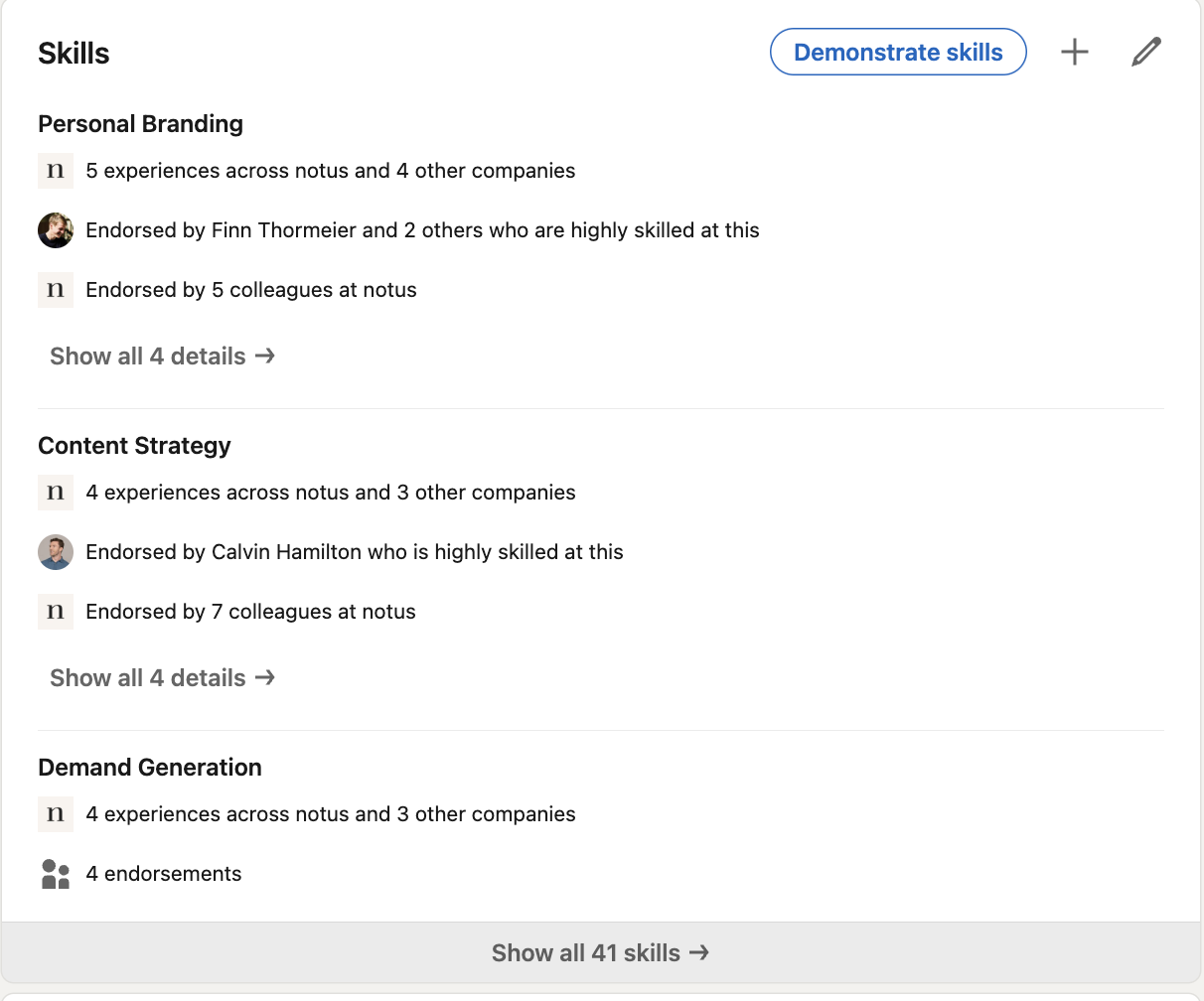
- Highlight relevant skills: emphasize the skills that align with your professional goals and expertise.
- Use endorsements: leverage endorsements from connections to further demonstrate your skills.
List your skills here Saved
Top skills · Other skills
Step 13
Recommendations
Recommendations build trust with target customers, potential employees, and partners.
Ask satisfied customers, employees, or employers to write you a recommendation on LinkedIn. These are very effective because they're 100% transparent and add social proof to your public profile.
Feel free to use this message template
Hey [Name],

I've been updating my LinkedIn profile and realized that Recommendations help build a lot of credibility and trust.

It would be super helpful if you could write me a short recommendation about [Project X].

If you could include keywords such as [Topic 1], [Topic 2] & [Topic 3], that would be fantastic!

Happy to write one for you too :)

Thanks a lot,
[Your Name]
List the people you'll reach out to here Saved
Prioritize clients and colleagues who can speak to specific results.
That's a wrap
Ship it, then keep it sharp
You've worked through every section. Before you move on, take one more pass to make sure the whole profile pulls in the same direction — and keeps working for you every time someone lands on it.
Thread your keywords through
Make sure the keywords you brainstormed show up consistently across your Headline, About, and Experience sections.
Stay focused on one offer
Keep the profile pointed at the one offer you're driving toward right now. Layer in anything else only once the core message is unmistakable.
Point every section to the next step
Banner, Featured, CTA button, and About should all guide the right visitor toward the same next action — a demo, a newsletter, a DM.
Balance business case & story
Re-read as your ICP would. Is it clear how you help, backed by specifics, and still recognizably human? That balance is what converts.